Weekly AI Digest
Master the AI Revolution
Exclusive prompts, model comparisons & creative techniques — curated weekly for creators and professionals who stay ahead.
No spam. Unsubscribe anytime.
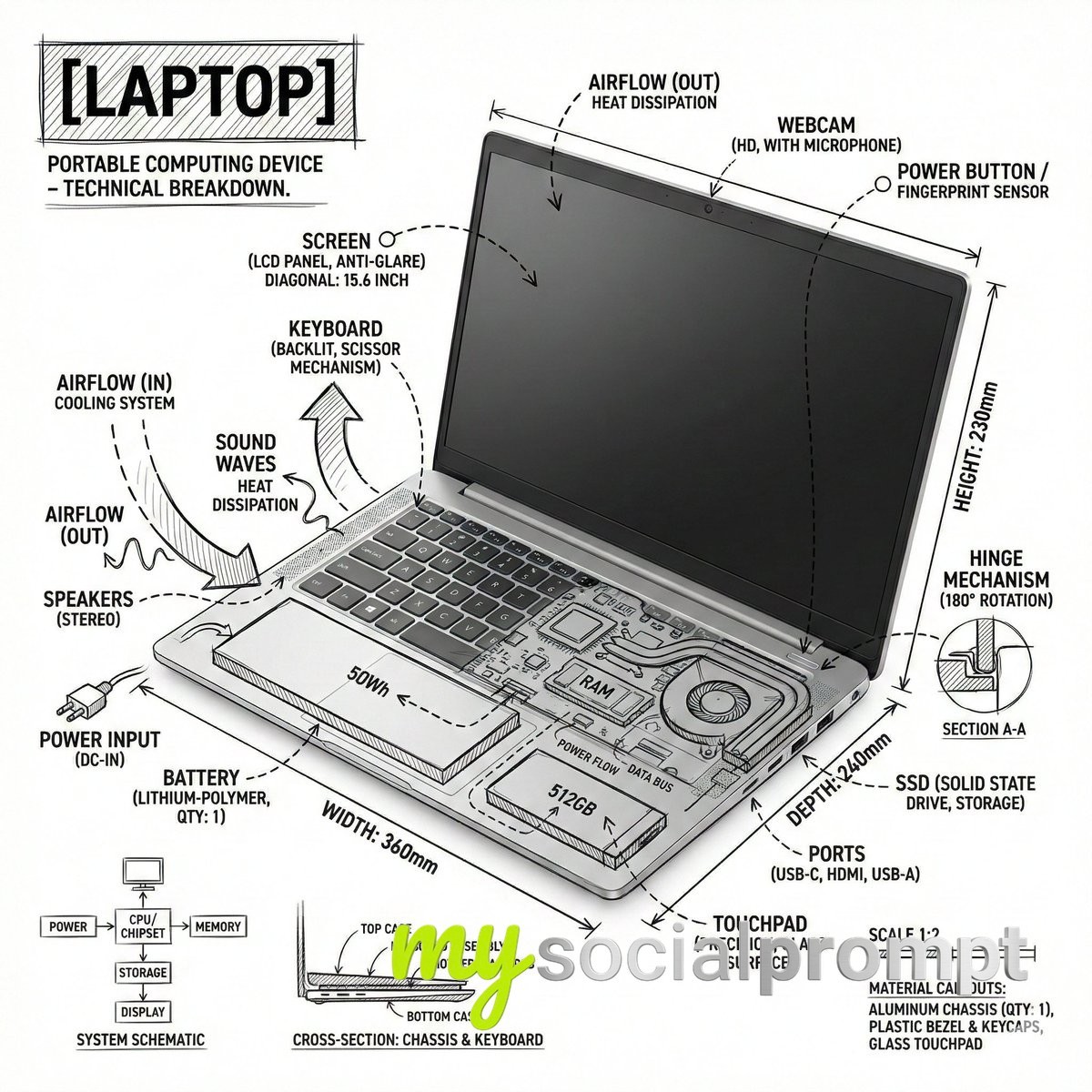
Create an infographic image of laptop ,combining a realistic photograph or photoreal render of the object with technical annotation overlays placed directly on top.Use black ink–style line drawings and text (technical pen / architectural sketch look) on a pure white studio background, including:•Key component labels•Internal cutaway or exploded-view outlines•Measurements, dimensions, and scale markers•Material callouts and quantities•Arrows indicating function, force, or flow (air, sound, power, pressure)•Simple schematic or sectional diagrams where relevantPlace the title [OBJECT] inside a hand-drawn technical annotation box in one corner.Style & layout rules:•The real object remains clearly visible beneath the annotations•Annotations feel sketched, technical, and architectural•Clean composition with balanced negative space•Educational, museum-exhibit / engineering-manual vibeVisual style:Minimal technical illustration aesthetic, black linework over realistic imagery, precise but slightly hand-drawn feel.Color palette:White background, black annotation lines and text only. No colors.Output:1080×1080, ultra-crisp, social-feed optimized, no watermark.”Es par ek text post bnao X ke liye ki ye mere dwara bnata gya hai
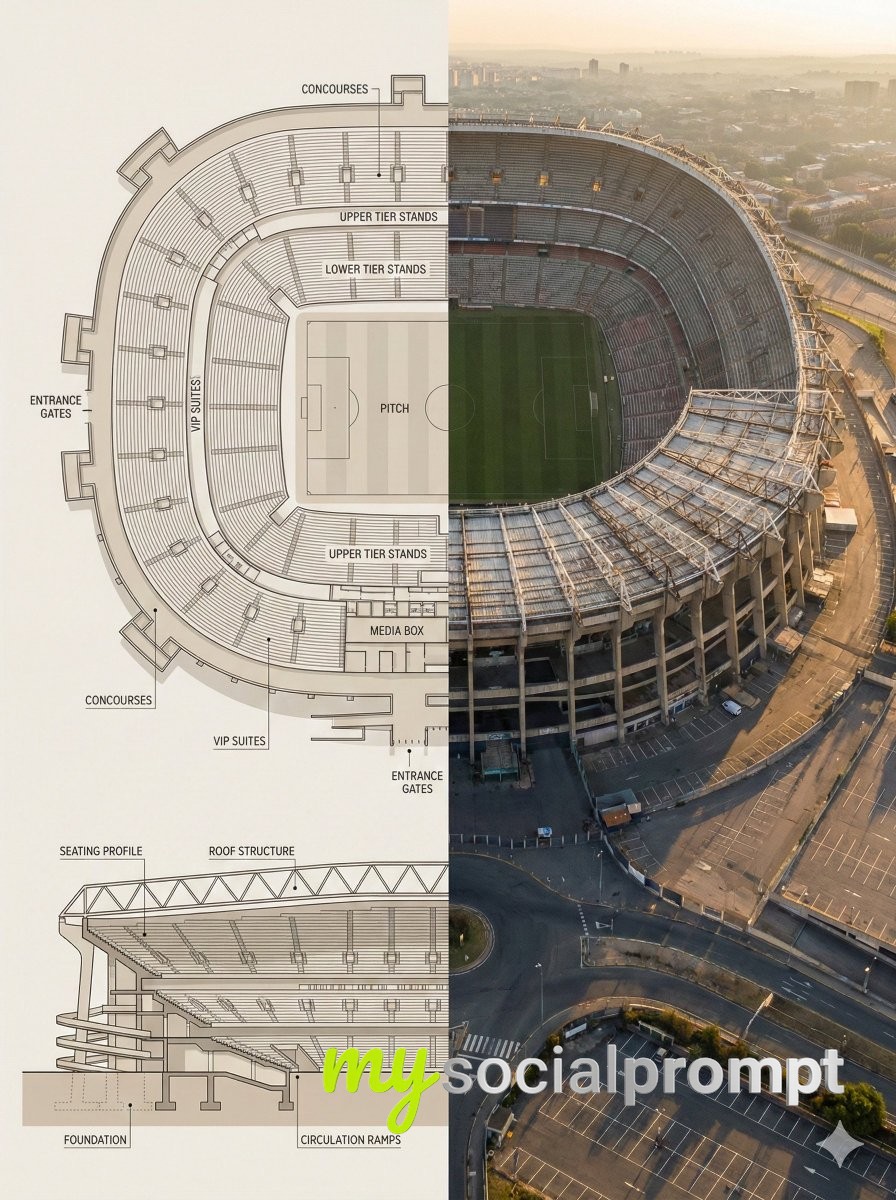
Split composition image, left and right halves clearly divided in 16:9 widescreen format.Left Half:Highly detailed architectural floor plan and cross-section illustration of [LANDMARK] in a modern minimalist style. Top-down view showing main structural layout, internal divisions, circulation paths, key chambers or spaces with labels. Material callouts, structural support systems, and architectural details clearly marked. Neutral beige and warm gray color palette, clean linework, soft shadows, subtle textures. Professional architectural-presentation style. Include detailed cross-sectional diagram showing vertical layers and internal structure. Blueprint aesthetic with technical accuracy and labeled sections.Right Half:Ultra-realistic aerial exterior photograph of [LANDMARK] captured from above and to the side (elevated isometric perspective, not straight overhead). Shows the complete structure with authentic weathered textures, aged materials, surrounding landscape, dramatic golden-hour sunlight creating sharp shadows, atmospheric haze suggesting historical significance. The perspective reveals both external grandeur and internal scale simultaneously. Warm golden-light lighting, realistic patina and wear patterns, authentic architectural proportions. Feels like an aerial photograph capturing the monument’s true majesty and scale.Both halves align visually, clearly showing architectural engineering blueprint vs. the actual monumental structure in its archaeological or historical reality.Style & Mood:•Architectural blueprint visualization meets historical aerial photography•Engineering precision and historical significance•Educational, museum-exhibit presentation•Engineering schematic-to-reality comparison•Grandeur emphasizing scale and architectural sophisticationLighting & Color:•Left: Flat, even lighting, neutral blueprint tones, technical aesthetic•Right: Golden-hour natural light, dramatic shadows, warm tones, atmospheric depth•Consistent warm palette between both halvesCamera & Technical Details:•Left: Top-down orthographic + detailed cross-sectional architectural view with labeled sections•Right: Elevated aerial perspective (45-degree isometric angle), capturing full structure from above-and-to-the-side•High resolution, sharp architectural details on left; photorealistic weathered textures on rightNegative Prompt:Cartoon style, low detail, cluttered composition, modern elements, unrealistic proportions, harsh lighting, exaggerated colors, text overlays, watermarks, CGI look, sterile rendering, straight-down overhead view, no atmospheric quality, overly pristine condition.
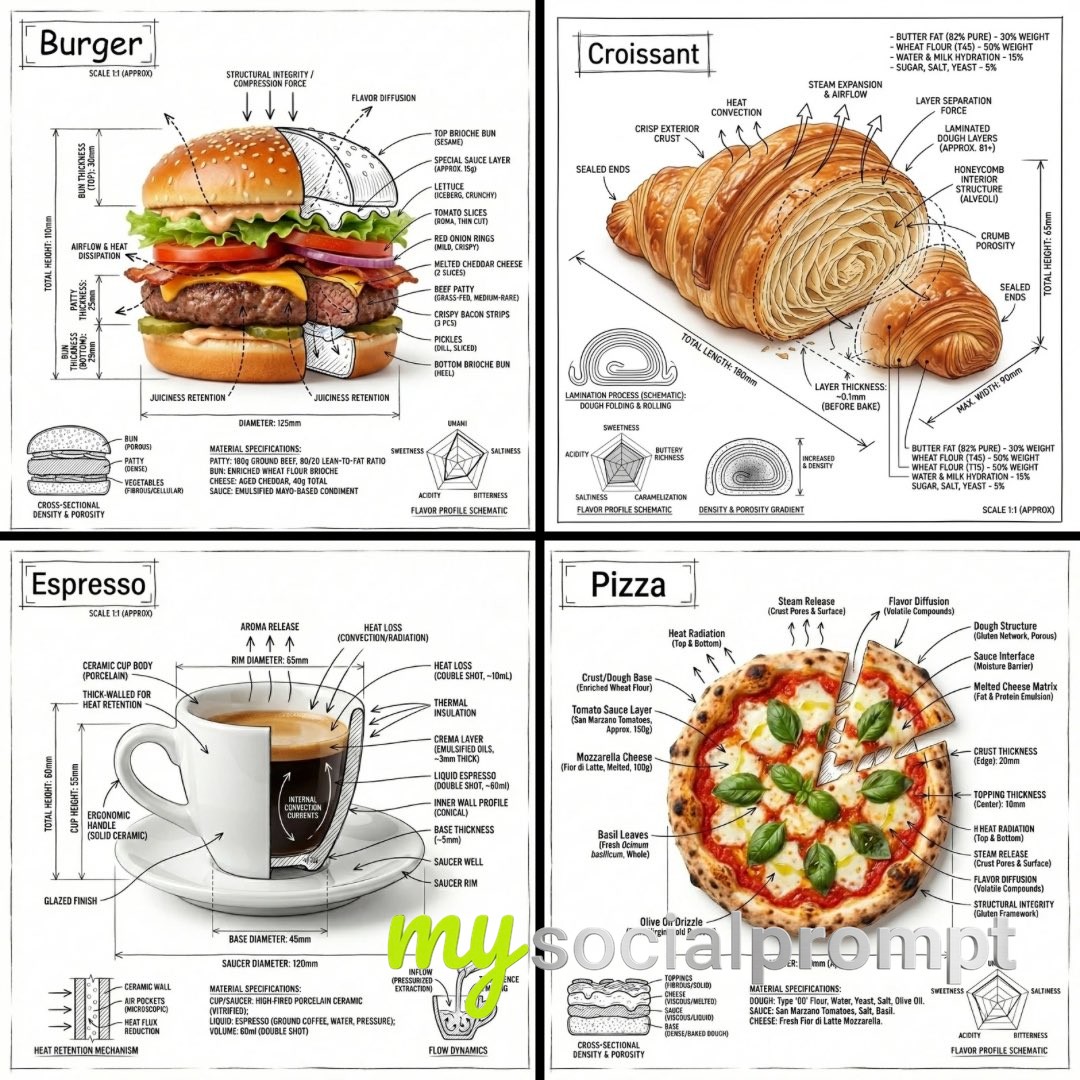
“Create an infographic image of [FOOD], combining a realistic photograph or photoreal render of the object with technical annotation overlays placed directly on top.Use black ink–style line drawings and text (technical pen / architectural sketch look) on a pure white studio background, including:•Key component labels•Internal cutaway or exploded-view outlines•Measurements, dimensions, and scale markers•Material callouts and quantities•Arrows indicating function, force, or flow (air, sound, power, pressure)•Simple schematic or sectional diagrams where relevantPlace the title “FOOD” inside a hand-drawn technical annotation box in one corner.Style & layout rules:•The real object remains clearly visible beneath the annotations•Annotations feel sketched, technical, and architectural•Clean composition with balanced negative space•Educational, museum-exhibit / engineering-manual vibeVisual style:Minimal technical illustration aesthetic, black linework over realistic imagery, precise but slightly hand-drawn feel.Color palette:White background, black annotation lines and text only. No colors.Output:1080×1080, ultra-crisp, social-feed optimized, no watermark.”
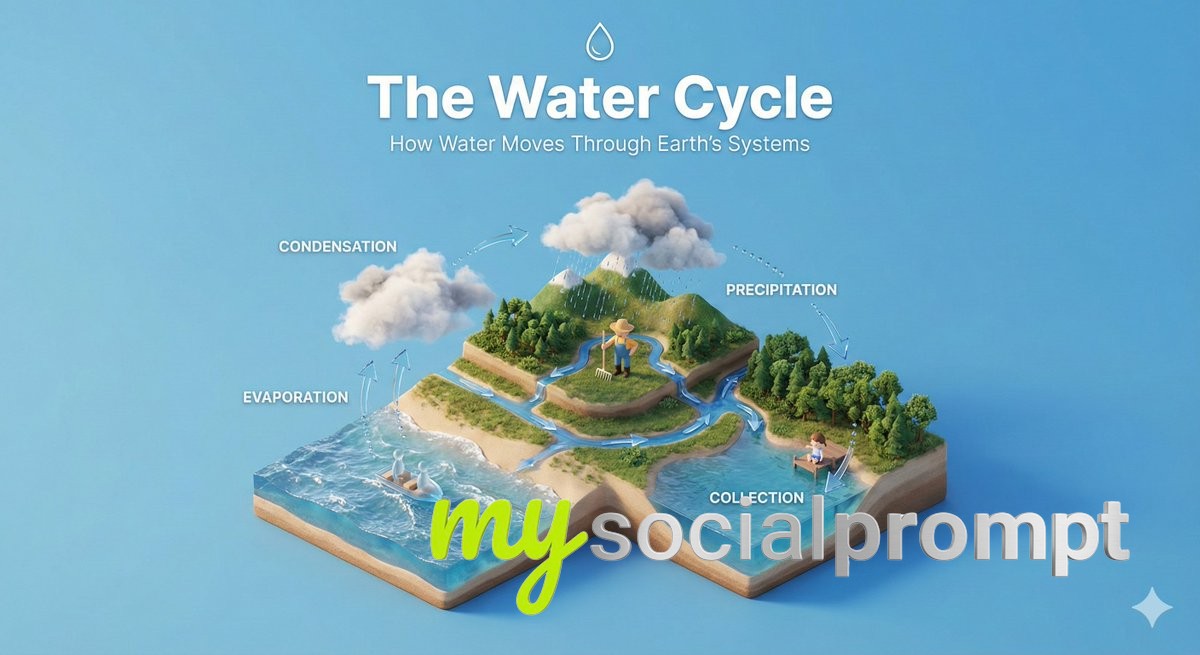 1/4
1/4Create a clear, 45° top-down isometric miniature 3D educational diorama explaining [PROCESS / CONCEPT].Use soft refined textures, realistic PBR materials, and gentle lifelike lighting.Build a stepped or layered diorama base showing each stage of the process with subtle arrows or paths.Include tiny stylized figures interacting with each stage (no facial details).Use a clean solid [BACKGROUND COLOR] background.At the top-center, display [PROCESS NAME] in large bold text, directly beneath it show a short explanation subtitle, and place a minimal symbolic icon below.All text must automatically match the background contrast (white or black).
![nanobanana prompt: Architectural Blueprint Infographic of [LANDMARK] with Technical Annotations](/uploads/8c2859bee2eb_tmpzcpqmha9.jpg)
Create an infographic image of [LANDMARK], combining a real photograph of the landmark with blueprint-style technical annotations and diagrams overlaid on the image. Include the title “[LANDMARK]” in a hand-drawn box in the corner. Add white chalk-style sketches showing key structural data, important measurements, material quantities, internal diagrams, load-flow arrows, cross-sections, floor plans, and notable architectural or engineering features. Style: blueprint aesthetic with white line drawings on the photograph, technical/architectural annotation style, educational infographic feel, with the real environment visible behind the annotations.
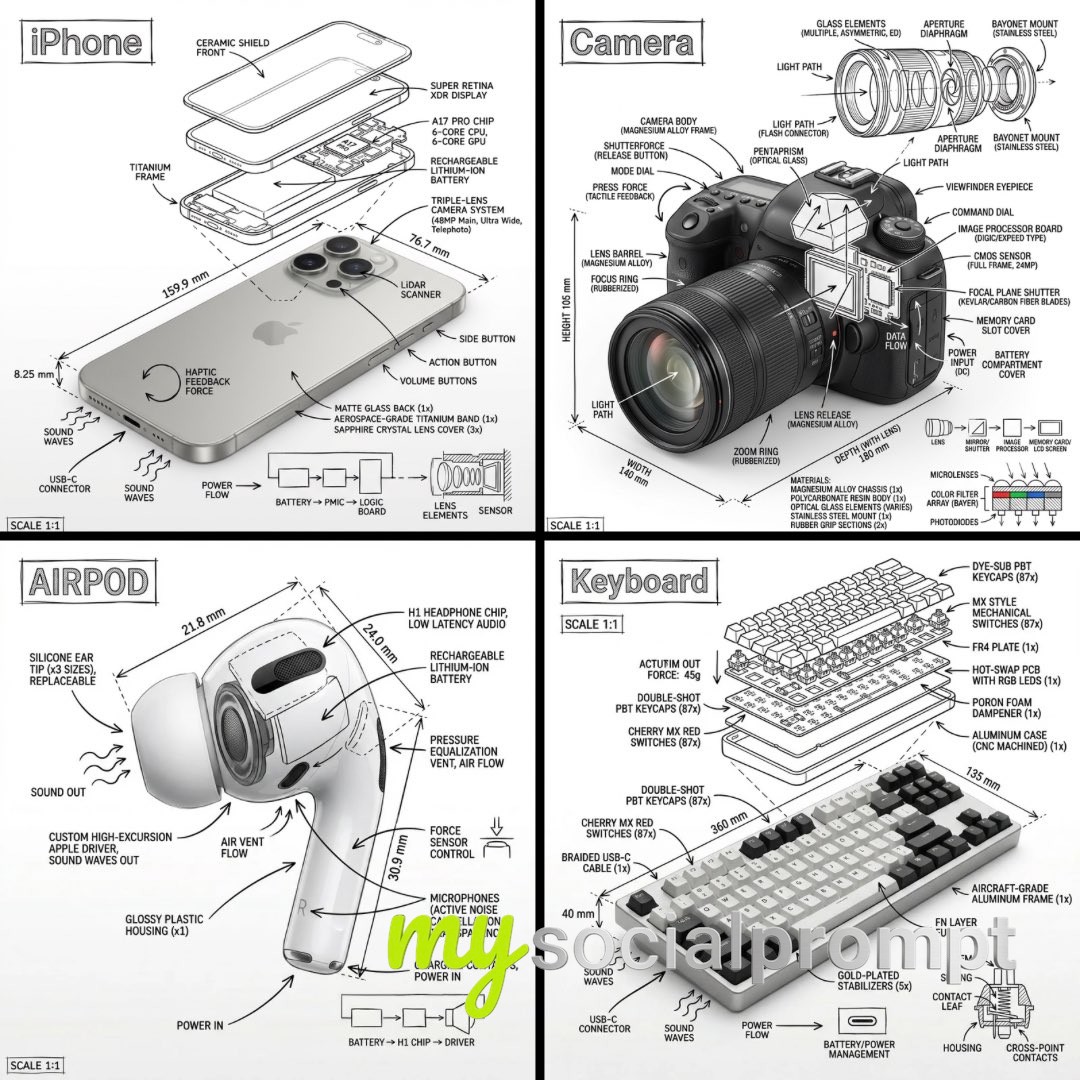
Create an infographic image of [OBJECT], combining a realistic photograph or photoreal render of the object with technical annotation overlays placed directly on top.Use black ink–style line drawings and text (technical pen / architectural sketch look) on a pure white studio background, including:•Key component labels•Internal cutaway or exploded-view outlines•Measurements, dimensions, and scale markers•Material callouts and quantities•Arrows indicating function, force, or flow (air, sound, power, pressure)•Simple schematic or sectional diagrams where relevantPlace the title [OBJECT] inside a hand-drawn technical annotation box in one corner.Style & layout rules:•The real object remains clearly visible beneath the annotations•Annotations feel sketched, technical, and architectural•Clean composition with balanced negative space•Educational, museum-exhibit / engineering-manual vibeVisual style:Minimal technical illustration aesthetic, black linework over realistic imagery, precise but slightly hand-drawn feel.Color palette:White background, black annotation lines and text only. No colors.Output:1080×1080, ultra-crisp, social-feed optimized, no watermark.
You've reached the end of the feed